Moto FRP Tool v2.5.6 Download Latest Motorola FRP Tool [2027]
Motorola Bypass Moto FRP Tool Download Free Latest Version
Moto FRP Tool is a Windows utility designed for servicing supported Motorola Android smartphones. Mobile technicians may use this type of tool when working with software-related problems, device setup issues, and supported security or reset operations.
Motorola phones can sometimes require additional servicing after a factory reset, software failure, or other maintenance work. The correct procedure depends on the exact model, Android version, security patch, and chipset. For that reason, users should always check compatibility before using any servicing tool.
What Is Motorola Bypass Moto FRP Tool?
Moto FRP Tool is a computer-based utility focused on supported Motorola devices. FRP stands for Factory Reset Protection, a security feature designed to help protect an Android device after it has been reset.
For legitimate device owners and repair technicians, servicing software can help with supported maintenance procedures. However, FRP is specifically intended as an anti-theft protection mechanism, so any account or security-related operation should only be performed on a device you own or are authorized to service.
Moto FRP Tool Features:
- The available features can vary between versions and supported Motorola models. Common functions may include:
Motorola Device Detection
- The tool can help communicate with supported Motorola smartphones through a USB connection. Correct drivers are normally required before the computer can recognize the phone properly.
FRP-Related Servicing
- Depending on the supported model and software version, Moto FRP Tool may provide functions related to FRP servicing. Compatibility is especially important because Android security changes regularly.
Software Maintenance
- Some versions may include additional options for basic Android servicing and maintenance. These functions can differ considerably between releases.
Device Information
- A servicing tool can be useful for identifying information about a connected phone before technicians begin an operation. Checking the model first helps avoid using the wrong procedure.
How to Install Moto FRP Tool?
- The installation process is generally simple on a Windows computer.
- First, obtain the tool from a trusted source and extract the downloaded archive if necessary. Before opening the executable, scan the file with your security software.
- Install the appropriate Motorola USB drivers on the PC. Without the correct drivers, the tool may not recognize the connected phone.
- After installing the drivers, restart Windows if required and then open the Motorola FRP Tool.rar. Connect the authorized Motorola device using a good-quality USB cable.
How to Connect a Motorola Phone?
Connection methods can vary depending on the model and the operation being performed.
Before connecting the phone:
- Charge the battery to a reasonable level.
- Use a reliable USB cable.
- Install the required Motorola drivers.
- Close unnecessary phone-management programs.
- Follow the connection mode required by the tool.
- Wait for Windows to recognize the device.
If the phone does not appear in the tool, check Windows Device Manager for driver errors.
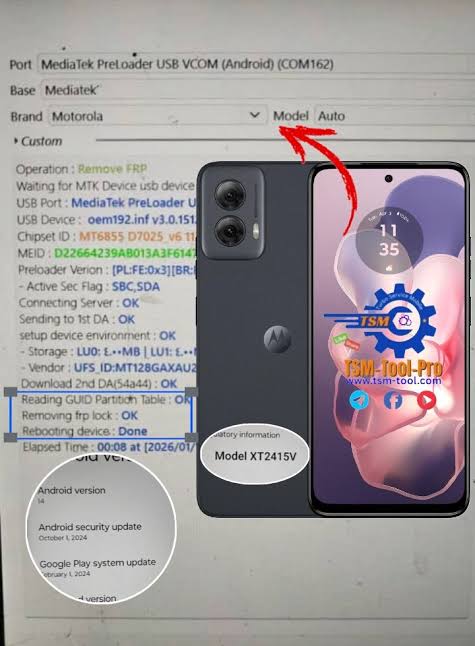
Moto FRP Tool Driver Problems
- Driver errors are a common issue with Android servicing programs.
- If the tool cannot detect your Motorola phone, try another USB port and cable first. Then check whether the Motorola USB driver is correctly installed.
- Restarting the computer can also resolve temporary driver or connection problems. If Windows shows an unknown device, reinstall the appropriate driver before trying the operation again.
Important Things to Know About FRP:
Factory Reset Protection is an Android security feature linked to the Google account previously used on a device. Its purpose is to discourage unauthorized use of a phone after it has been reset.
If you purchased a used Motorola phone and it is asking for the previous owner’s account after a reset, the safest solution is to contact the previous owner or seller and complete the device’s official ownership verification process.
A servicing tool should not be treated as a way to bypass security on a phone that you do not own.
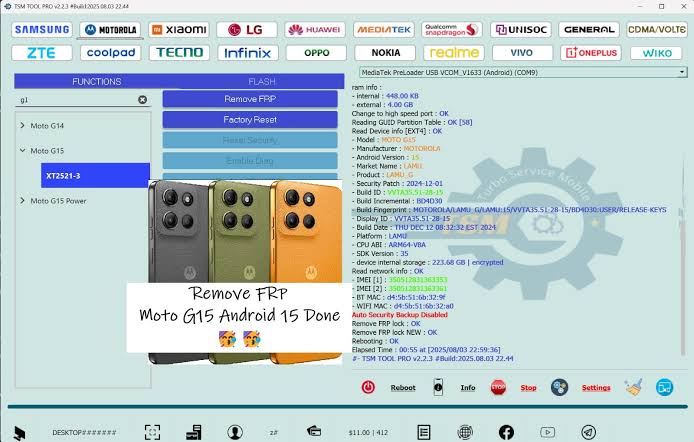
Advantages of Moto FRP Tool:
For authorized repair work, a dedicated Motorola servicing utility can be useful because it focuses on Motorola devices rather than trying to cover every Android manufacturer.
Some potential advantages include:
- Designed for supported Motorola devices
- Windows-based interface
- Useful for mobile technicians
- USB device communication
- Support for selected servicing operations
- Can simplify certain repair workflows
Common Problems:
- Users may encounter several problems while working with Motorola servicing tools.
- Phone not detected: Usually related to drivers, USB cables, ports, or connection mode.
- Tool shows an error: The selected operation may not support the phone’s software version or security level.
- Driver installation fails: Remove conflicting drivers and install the appropriate Motorola USB driver.
- Operation stops unexpectedly: Check the USB connection and make sure the PC does not enter sleep mode during the process.
Is Moto FRP Tool Safe?
Download servicing software only from a source you trust. Unknown executable files can potentially contain unwanted programs or modified components.
Before running any tool, scan the downloaded archive and executable with your security software. You should also avoid disabling Windows security protections unless you understand exactly what you are doing.
Most importantly, use FRP-related functions only for devices you own or are explicitly authorized to repair.
Final Words:
Moto FRP Tool can be useful for technicians working with supported Motorola smartphones and software-maintenance tasks. Its usefulness depends heavily on the phone model, Android version, security patch, drivers, and the specific version of the tool.
Before beginning any operation, identify the device correctly and use the appropriate official or trusted software. For FRP-related problems, remember that Factory Reset Protection is an anti-theft feature, so legitimate ownership verification should always come first.
FAQs:
What is Moto FRP Tool?
- Moto FRP Tool is a Windows-based utility intended for servicing supported Motorola Android devices.
Does Moto FRP Tool work with every Motorola phone?
- No. Compatibility varies by model, Android version, security patch, and tool version.
Why is my Motorola phone not detected?
- Incorrect or missing USB drivers, a faulty cable, USB port problems, or an incorrect connection mode can prevent detection.
What does FRP mean?
- FRP means Factory Reset Protection. It is an Android security feature designed to help protect a device after a factory reset.
Can I use Moto FRP Tool on a phone I bought second-hand?
- Only perform security-related servicing when you have legitimate ownership or authorization. If the phone requests the previous owner’s Google account, contacting the seller or previous owner is the appropriate route.